
Spider Solitaire Card Game
Degoo ltdBoard
4.7731.00 Reviews
- Version
- 1.6.32
- Installs
- 1.00M
- Age Rating
- Everyone
Screenshots
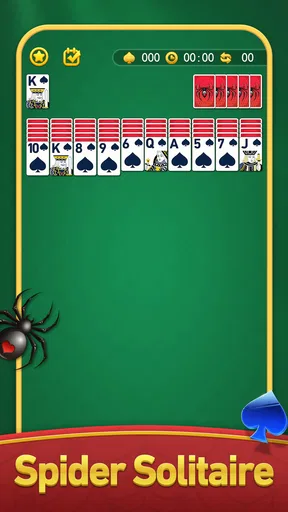
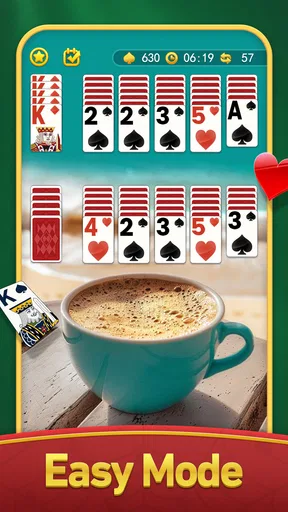
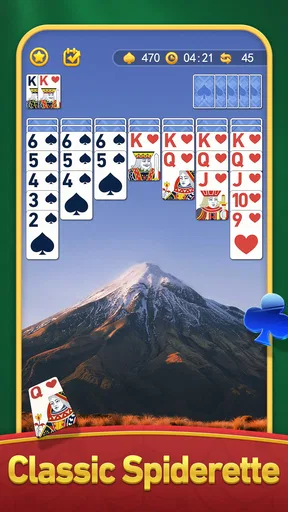
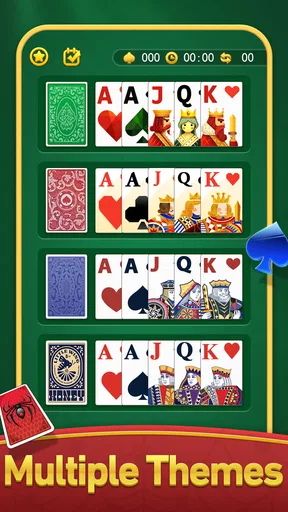
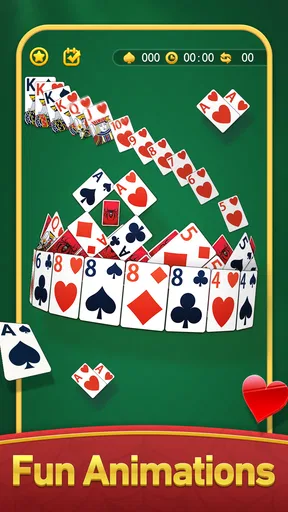
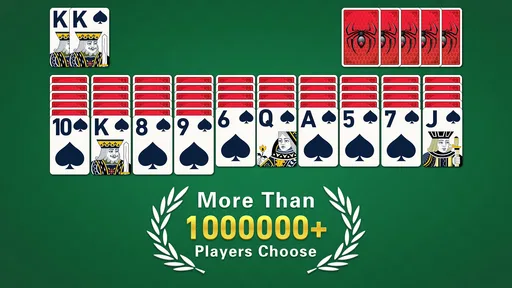
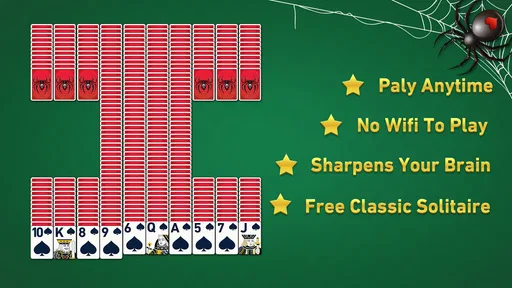
Our Review of Spider Solitaire Card Game
 Analysis by Appyee
I tend to return to solitaire when I want something quiet rather than competitive, and Spider Solitaire Card Game fits that mood well. After spending time with it, I found a straightforward board game built around short card sessions, simple decisions, and the familiar satisfaction of clearing a layout. It is free, rated for Everyone, and developed by Degoo ltd, which makes it an easy game to consider for a shared household device where different people may want a calm way to pass a few minutes.
The important thing is to approach it for what it is. This is not a social card room, a story-driven game, or a deep strategy title with a large learning curve. Its appeal comes from being immediately understandable. You can pick it up during a break, play at your own pace, and stop when you have finished a deal or simply had enough. I found that modest scope more useful than flashy presentation when I wanted a game that would not demand much attention.
A quiet card game that works well on a shared device
In my home, a game like this makes sense on a tablet or phone that several people occasionally use. One person might open it while waiting for dinner, another might play before bed, and someone else might use it during a short commute. Because Spider Solitaire is turn-free and does not depend on another player being available, it avoids the coordination problem that comes with multiplayer games. Nobody has to arrange a match, protect a shared schedule, or explain why they left halfway through.
That independence is especially useful in a household with different routines. A parent can play a few hands while taking a break, an older relative can enjoy the familiar card format, and a younger user can try it with an adult nearby. The Everyone content rating makes the game broadly approachable, although I would still judge suitability by the child’s reading ability, patience, and comfort with card games rather than treating an age label as a complete recommendation.
On a shared device, I would treat each session as personal play rather than assuming the game is designed for separate household profiles. If more than one person uses the same phone or tablet, the simplest arrangement is to let each player take a turn and avoid changing settings or progress that someone else may care about. That is not a complaint about the game so much as a practical boundary: a casual solitaire title should be shared casually unless the device itself offers stronger account separation.
The game’s scale also helps here. With more than a million installs and an average rating of 4.7 from around 9.9 thousand ratings, it has clearly found an audience beyond a single niche. Those figures do not make it automatically perfect, but they do suggest that the basic idea is landing with many people. I can understand why: the card format is recognizable, the pace is self-directed, and the game does not require a household to learn a complicated ruleset before anyone can enjoy it.
What the first few sessions feel like
The opening experience is familiar if you have played Spider Solitaire before. The board presents a set of cards that you work through by arranging them in descending order and trying to build complete sequences. The challenge is not fast reflexes. It is deciding which move keeps the layout flexible and which move may quietly block useful cards later.
I like that the game gives me room to think. A hurried move can create a problem several turns later, while a patient rearrangement may expose the card I need. That makes it more engaging than a purely automatic time-killer, but it remains gentle enough for someone who does not want an intense puzzle. The best sessions are the ones where I can focus on the layout without feeling punished for taking a moment.
For a new player in the household, I would explain the basic goal first and then let them discover the rhythm through a few hands. Showing every possible move immediately can turn the experience into a lesson instead of a game. A better approach is to point out one useful habit: before moving a card, look at whether the empty space or newly exposed card will actually improve the next choice. That small pause teaches the central trade-off without making the game feel complicated.
Shared-device boundaries worth setting early
If you plan to let several people use the same device, I recommend agreeing on a few simple rules before anyone starts. Decide whether the game is a quiet solo activity or something people may discuss together. Decide who is allowed to change visual or gameplay preferences if those options are available on the device. Most importantly, make it clear that one person should not undo another person’s move just because they would have played differently.
That last point matters more than it sounds. Solitaire is personal: two players can look at the same position and prefer different risks. One may preserve a long sequence, while another may break it to reveal a hidden card. If the device is passed around, the fairest arrangement is to let the active player finish a hand before offering suggestions. This keeps the game relaxing instead of turning a short break into an argument about the “correct” move.
I would also avoid treating the game as a place to store household achievements or informal records unless everyone agrees on how those records are kept. A shared device can blur who completed a deal and who made a particular choice. If progress or results are visible, consider them communal rather than personal unless the game is being used by one dedicated player. That expectation prevents disappointment later.
For children, the useful boundary is less about controlling the card rules and more about supervision of the device itself. The game is suitable for a broad audience, but the phone or tablet may contain other apps, messages, purchases, or personal information. I would hand it over with the same care I would use for any shared device. The game can be family-friendly without the entire device being appropriate for unsupervised use.
How I would coordinate play between different ages
Spider Solitaire works across generations because the basic card language is familiar, but that does not mean every player will enjoy it in the same way. An experienced adult may want to analyze every column, while a child may be happier making obvious sequences and seeing what happens. I would not force both players into the same style. Let the younger player experiment, and let the experienced player enjoy the slower puzzle if that is what keeps them interested.
A useful household routine is to use the game as a low-pressure transition activity. Someone waiting for another family member can begin a hand, then stop when the other person is ready. Another option is a short “one deal each” arrangement, where the device moves to the next player after a natural stopping point. This works better than setting a strict timer because the game’s rhythm is based on card decisions rather than rounds with a fixed duration.
When helping someone who is stuck, I would ask what they are trying to preserve instead of taking over the board. Questions such as “Which column do you want to open?” or “What will this move reveal?” encourage the player to reason for themselves. That is one of the less obvious strengths of a simple solitaire game: it can support shared conversation without requiring direct competition. The person holding the device remains in control, while others can contribute ideas.
There is also a practical advantage for households that do not want noise. Unlike many casual games, a card layout can be followed silently. That makes it suitable for a living room where someone is reading, a bedroom where another person is resting, or a waiting area where sound would be inconvenient. I would still check the device’s own audio settings before passing it around, but the game’s core activity naturally fits a quiet environment.
Age, trust, and what the game should not be expected to do
The Everyone rating tells me that the subject matter is uncomplicated and broadly suitable. It does not replace ordinary family judgment. A young child may need help understanding the objective, while an older person may appreciate larger text or a bigger screen depending on the device. I found a tablet more comfortable for examining the full layout, whereas a phone is more convenient for quick sessions. The better choice depends on who is playing and how carefully they need to see the cards.
I would also be careful about assuming that a shared game automatically provides separate identities. If several people use one installation, do not promise each person a private space, separate history, or independent progress unless you have checked the current app behavior yourself. For a household, trust comes from clear expectations: who is using the device, whether anyone may reset or alter the game, and whether the game is being played for relaxation rather than competition.
This matters when a child and an adult share the same screen. The adult can explain the rules and encourage patience, but should avoid presenting every lost hand as a failure. Spider Solitaire contains uncertainty and sometimes awkward positions. If the game becomes a test of performance, it loses much of its calming appeal. I prefer framing it as a puzzle where the player can learn to recognize better arrangements over time.
The same principle applies to older relatives. Familiar card games can be welcoming, but small controls or a crowded layout can create unnecessary friction. I would start with a short session and ask whether the cards are easy to distinguish before recommending regular use. If the screen feels cramped, a larger device or a different solitaire app with stronger accessibility options may be a better fit. The game’s simplicity does not guarantee that every screen size will feel equally comfortable.
Where it stands beside other solitaire choices
Compared with physical cards, this version is more convenient because the layout is always ready and there is no need to collect a deck, clear a table, or recover cards that slide away. That convenience is valuable on a small phone during a waiting period. Physical cards are better, however, for people who enjoy the tactile feel, want to teach by moving cards together, or prefer an activity that does not involve another screen.
Compared with competitive online card games, this is a much calmer choice. There is no need to match another person’s speed, respond to an opponent, or worry about a live session ending at the wrong moment. If your goal is social interaction, conversation, or a test against skilled players, a multiplayer card app will offer more. If your goal is to settle your mind with a self-contained puzzle, the solitary format is an advantage.
Compared with elaborate puzzle games, Spider Solitaire has less variety in its central activity. You are not moving through a story, unlocking a large collection of systems, or learning a changing set of mechanics. That can feel repetitive if you need constant novelty. For me, the repetition is acceptable because the interest comes from the arrangement of each deal and from trying to make a cleaner decision than I made last time.
The game is also a better match for people who dislike pressure than for players who want measurable challenge. I would choose it for a quiet break, a shared tablet, or a familiar card habit. I would skip it in favor of a richer strategy game if I wanted long-term progression, detailed planning across many systems, or a strong sense of achievement beyond completing hands.
Small habits that make the game more enjoyable
My first practical tip is to resist filling an open space immediately. An empty column can be valuable because it gives you room to move a sequence and reorganize the board. Using that space just to make a move may provide a short-term improvement while removing your best long-term option. I found that asking “What will this space let me do next?” leads to better decisions than simply choosing the most obvious available move.
Second, I try to expose hidden cards before polishing a sequence that already looks tidy. A neat arrangement can be tempting, but the real progress often comes from opening information. When two moves seem equally attractive, I usually favor the one that reveals a new card or creates more choices. This is a useful approach for beginners because it turns a confusing board into a series of smaller decisions.
Third, I separate a difficult hand from my mood. If I am playing late at night or during a stressful break, I do not want to keep forcing a position that has stopped being enjoyable. I simply treat that hand as a stopping point and return another time. The game works best as relaxation when I allow myself to stop without feeling that I must prove something by finishing every deal.
For shared play, I would add one more rule: explain a move before making it if someone else is watching. Saying “I am opening this column because it exposes a card” turns a private puzzle into a small learning moment. It also prevents the common household problem where a helpful spectator reaches for the device and changes the board without permission.
Device fit, maintenance, and everyday expectations
The game supports Android devices running version 6.0 or later, so it is compatible with a wide range of older and newer phones and tablets. That is useful for a household that keeps an older device as a shared entertainment screen. I would still test the card layout on the actual device before making it the family’s regular option, because comfort depends on screen size, brightness, and how easily each person can read the cards.
The current version is 1.6.32. When several people rely on one shared installation, I would let the device owner handle updates rather than having every user change settings independently. Keeping the app current is sensible, but the practical point is consistency: everyone should know which version they are using and where the game is located. This avoids confusion when a child, guest, or older relative later looks for the same card game.
Because it is free, the initial decision is easy. You can try it without setting aside a purchase budget, which makes it a reasonable experiment for a spare device or a household that is unsure whether anyone will enjoy solitaire. Free does not mean it will suit everyone, though. If you dislike repeated card layouts, want a tactile experience, or need advanced personal profiles, the lack of those qualities may matter more than the price.
I also would not choose it as the only game for a family entertainment setup. It serves one mood very well: quiet, individual concentration. A household may still want a word game for group play, a more accessible puzzle for younger children, or a competitive title for evenings when everyone wants to participate. Spider Solitaire is strongest as one dependable option in that mix, not as a universal answer.
My household verdict
After using it, I see Spider Solitaire Card Game as a sensible recommendation for anyone who wants a familiar board game that can be played in short, quiet sessions. Its free availability, Everyone rating, broad device compatibility, and simple card structure make it easy to introduce on a shared phone or tablet. The developer is Degoo ltd, and the game’s strong average rating suggests that its uncomplicated approach works for a substantial audience.
My recommendation comes with clear boundaries. I would choose it for a person who enjoys patient decisions, a family that wants a low-noise activity, or an older device that needs a lightweight card game to share. I would not choose it for someone seeking multiplayer interaction, rich progression, tactile cards, or a large collection of changing challenges. Those users will probably be happier with a different option in the same broad category.
The best way to use it at home is to keep expectations simple: give each player space to make their own decisions, agree on how the shared device is handled, and treat the game as a relaxing puzzle rather than a performance test. With that approach, it becomes an easy companion for waiting, unwinding, or passing a quiet moment. Its real strength is dependable simplicity, and for the right household, that is exactly enough.
Verdict
Strengths of Spider Solitaire Card Game
- Simple rules make it easy for beginners to start playing.
- Multiple difficulty levels provide a suitable challenge for most players.
- Offline play is useful when no internet connection is available.
- Portrait layout works well for quick games on smaller screens.
- Undo options help correct mistakes without restarting the game.
Limitations of Spider Solitaire Card Game
- Frequent ads may interrupt play, especially between completed games.
- Advanced players may find the available variations somewhat limited.
- Some features may require in-app purchases or a premium upgrade.
- Small card details can be difficult to read on compact displays.
- Random deals may occasionally feel repetitive during longer sessions.
Other Releases by Degoo ltd
View All
Solitaire Card Game
Card4.8
Similar Picks in This Category
View All
Ludo King®
Gametion4.1

Ludo
Yarsa Games4.6

Tile Master® - Matching Game
Higgs Studio3.6

Checkers Online
CC Games4.6

Dominoes
Loop Games4.7

Chess
Chess Prince4.6
Frequently Asked Questions
What is Spider Solitaire Card Game, and how is it played?
Spider Solitaire Card Game is a single-player card game based on arranging cards into complete descending sequences of the same suit, from King to Ace. After completing a sequence, it is removed from the table. Players move exposed cards or groups of cards between columns, using empty spaces strategically. The goal is to clear the entire layout with as few moves as possible.
Does Spider Solitaire Card Game work without an internet connection?
In most versions, Spider Solitaire Card Game can be played offline after installation, which makes it convenient for travel, commuting, or areas with limited connectivity. Internet access may still be required for optional features such as advertisements, cloud synchronization, online leaderboards, daily challenges, updates, or in-app purchases. Availability of these features depends on the specific Android or iOS version.
Is Spider Solitaire Card Game suitable for beginners?
Yes, Spider Solitaire Card Game is generally suitable for beginners, although the standard four-suit mode can be challenging at first. Many editions include easier one-suit and two-suit modes that help new players understand card movement and planning. Hints, undo buttons, tutorials, and automatic card placement may also be available, allowing beginners to learn gradually without feeling overwhelmed.
Does Spider Solitaire Card Game include advertisements or in-app purchases?
Many Spider Solitaire Card Game editions are free to download but support themselves through advertisements. You may see banners, interstitial ads, or rewarded videos between games. Some versions offer optional purchases to remove ads, unlock themes, or access additional features. Before downloading, check the store listing and permissions carefully, because pricing and monetization can vary between developers.
What features should I check before downloading Spider Solitaire Card Game?
Before downloading, check whether the game offers the difficulty levels, card designs, backgrounds, statistics, daily challenges, hints, unlimited undo, and offline play you prefer. It is also worth reviewing the app’s size, supported Android or iOS version, privacy policy, advertisement frequency, and user ratings. If accessibility matters, look for readable cards, color options, sound controls, and simple touch controls.
Play our best games!


